How to install EngineNear on Chrome and Edge
Step-by-step setup guide for the EngineNear MV3 prompt firewall extension on Google Chrome and Microsoft Edge, featuring local T0 regex scrubbing and zero prompt storage.
01. What You Get
Sub-5ms p95 deterministic T0 scan
Under 5ms deterministic local prompt scanning directly in your browser before network submission.
Zero Raw Prompt Storage (Rule 1)
Prompts are never logged, stored, or transmitted in raw unmasked form anywhere.
Scrubbed on your device first
All API keys, secrets, and customer PII are detected and scrubbed locally on your device.
02. Before You Start
Verify that your environment meets the minimum compatibility criteria:
- Supported Browsers: Google Chrome 116+, Microsoft Edge 116+, Brave 1.58+, Arc, and Chromium-based browsers.
- Protected AI Surfaces: ChatGPT (
chatgpt.com), Claude (claude.ai), and Gemini (gemini.google.com). - No Cloud Account Required for Local Mode: Local T0 regex, PII detection, and entropy screening operate out-of-the-box without requiring an account or network connectivity.
03. Installation
EngineNear is distributed via the official Chrome Web Store for Google Chrome 116 and higher. Manifest V3 background service workers run with ephemeral life cycles to ensure minimal memory usage.
- 1Navigate to the official Chrome Web Store or Microsoft Edge Add-ons listing. Confirm that the publisher displays EngineNear Inc. with the verified publisher badge.EngineNear Browser Extension View
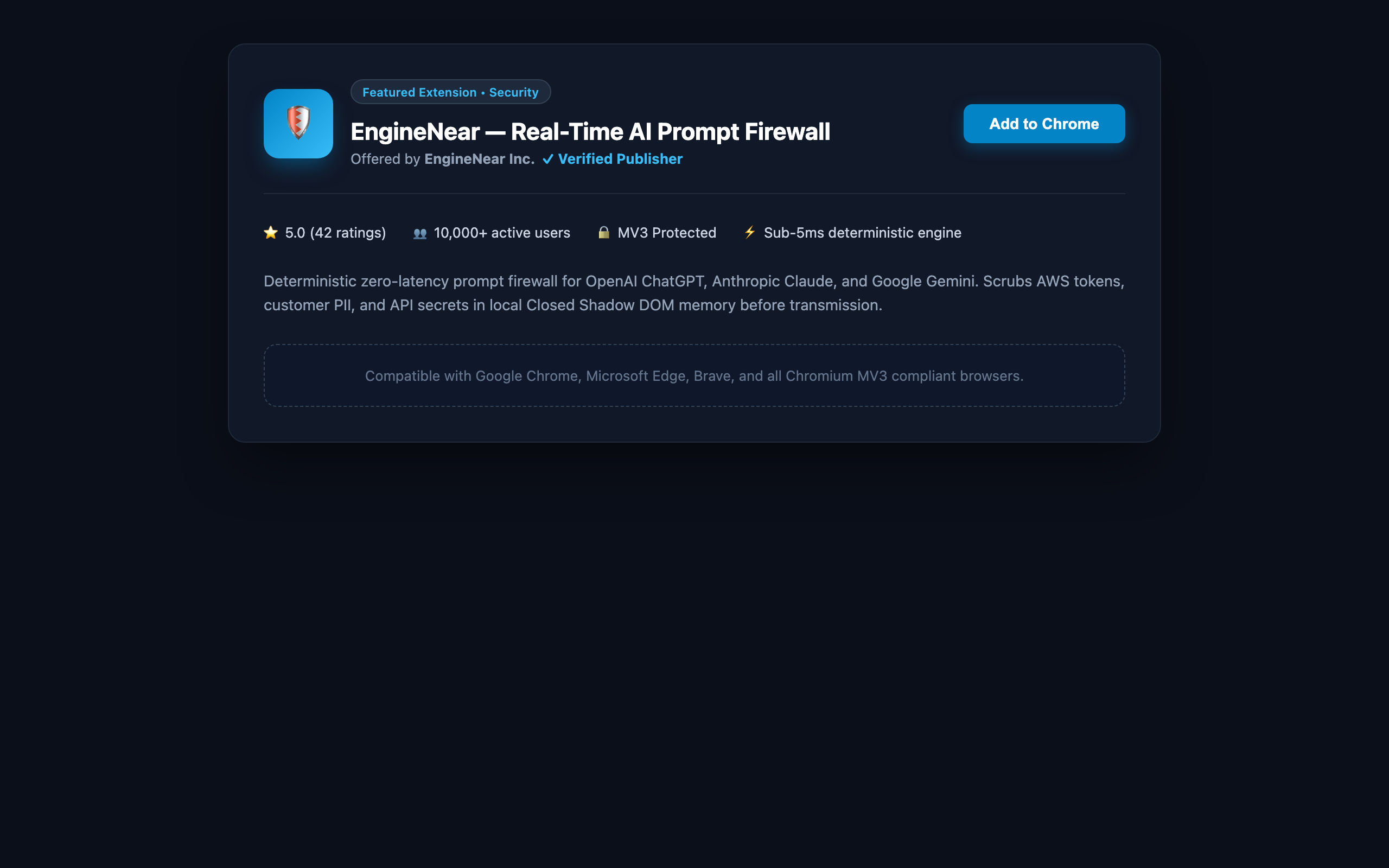
Step 1: Official verified Chrome Web Store extension page. - 2Review the requested permissions. EngineNear strictly limits its host pattern to ChatGPT, Claude, and Gemini prompt surfaces. It cannot access external browsing history, bank portals, or personal email accounts.EngineNear Browser Extension View
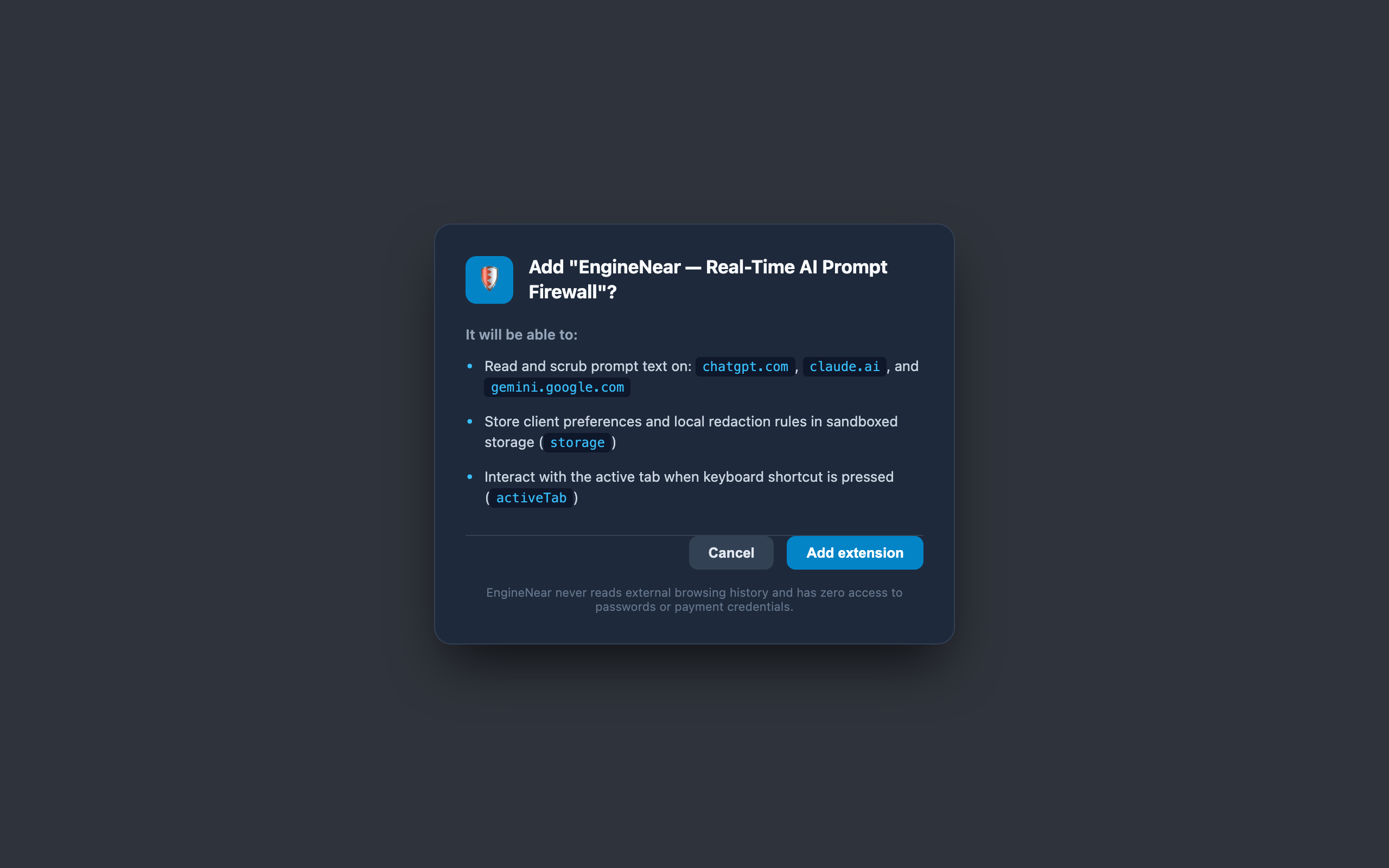
Step 2: Scoped host permissions for chatgpt.com, claude.ai, and gemini.google.com. - 3Pin the EngineNear shield icon to your browser toolbar. Click the extension icon to connect to your EngineNear workspace or continue in zero-configuration local-only mode.EngineNear Browser Extension View
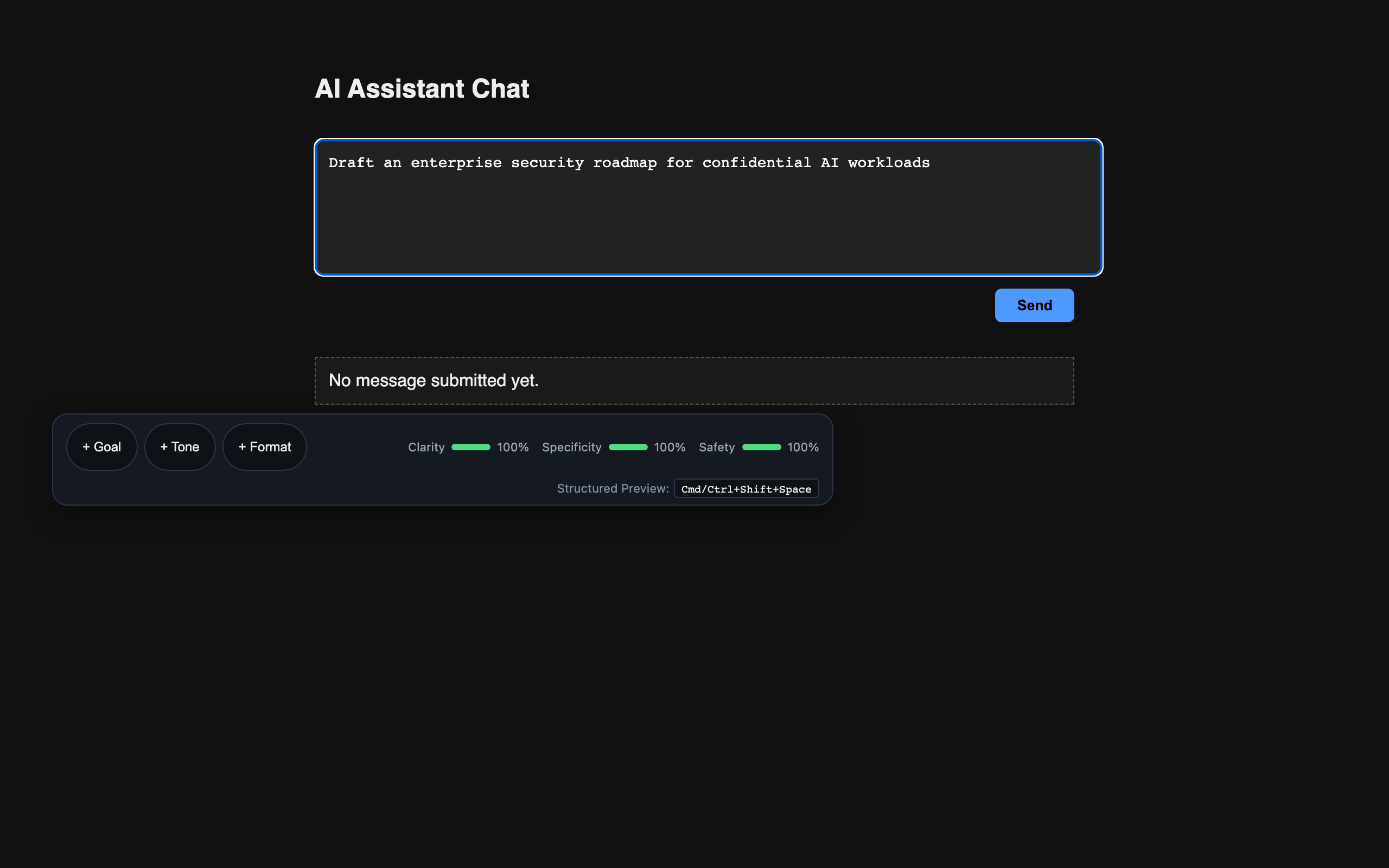
Step 3: Closed Shadow DOM overlay active and protecting target prompt input. - 4Open chatgpt.com, claude.ai, or gemini.google.com. Type the practice AWS key
AKIAIOSFODNN7EXAMPLEinto the prompt box. Notice how the local detector flags the token instantly in under 5ms, blocking accidental submission.EngineNear Browser Extension View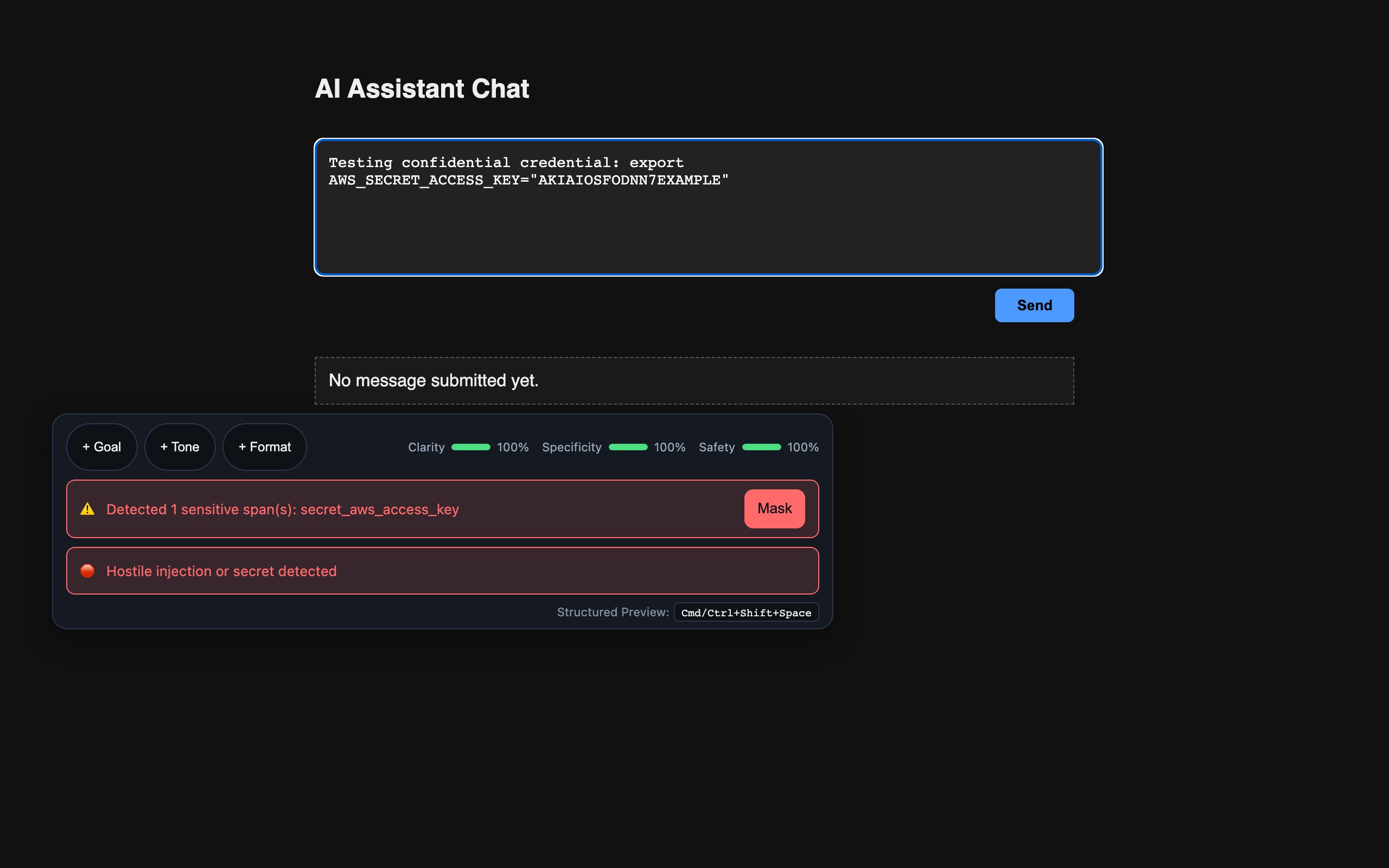
Step 4: Immediate deterministic secret detection and capture-phase interception.
04. Permissions Explained
EngineNear strictly rejects blanket <all_urls> requests. Every permission requested in manifest.json is audited and verifiable:
| Permission String | Classification | Surface / Scope | Security Justification |
|---|---|---|---|
https://chatgpt.com/* | Host Pattern | ChatGPT Web Protection Restricted strictly to prompt input textarea nodes on chatgpt.com | Attaches the closed-boundary Shadow DOM overlay to the prompt box. Intercepts capture-phase keystrokes to run zero-latency client-side regex and entropy scrubbing, preventing credentials and PII from leaving your browser. |
https://chat.openai.com/* | Host Pattern | ChatGPT Legacy Domain Protection Restricted strictly to prompt input textarea nodes on chat.openai.com | Provides prompt structuring, secret masking, and model recommendations for users accessing ChatGPT via the legacy domain. |
https://claude.ai/* | Host Pattern | Claude Chat Protection Restricted strictly to contenteditable prompt composer on claude.ai | Detects prompt entry within Claude web conversations. Structures rough prompts and injects authorized constraints before transmission to Anthropic. |
https://gemini.google.com/* | Host Pattern | Gemini Assistant Protection Restricted strictly to Gemini rich text input nodes | Enables real-time prompt structuring and model suggestions in Gemini rich text editors. Scans inputs with sub-5ms local evaluation before text leaves the browser. |
https://perplexity.ai/* | Host Pattern | Perplexity Search Protection Restricted strictly to search query inputs on perplexity.ai | Attaches prompt structuring overlay to Perplexity query inputs, ensuring questions are optimized and secrets masked before submission. |
https://www.perplexity.ai/* | Host Pattern | Perplexity Canonical Domain Protection Restricted strictly to search query inputs on www.perplexity.ai | Ensures consistent prompt optimization and secret masking on www.perplexity.ai. |
https://groq.com/* | Host Pattern | Groq Cloud Protection Restricted strictly to prompt input elements on groq.com | Optimizes developer queries and masks secrets on Groq web surfaces before dispatch to ultra-fast LPU inference. |
https://api.groq.com/* | Host Pattern | Groq Real-Time Prompt Refinement API Direct HTTPS requests to chat completions endpoint for real-time prompt analysis | Enables sub-200ms real-time prompt structuring and platform-native model recommendations powered by ultra-low-latency open-weight LLMs. |
https://chat.groq.com/* | Host Pattern | Groq Chat Protection Restricted strictly to prompt textareas on chat.groq.com | Structures prompts and suggests accurate model tiers within Groq Chat. |
https://grok.com/* | Host Pattern | Grok Chat Protection Restricted strictly to prompt inputs on grok.com | Attaches the EngineNear prompt firewall to Grok conversational inputs for instant structuring and credential defense. |
https://copilot.microsoft.com/* | Host Pattern | Microsoft Copilot Protection Restricted strictly to Copilot prompt composer on copilot.microsoft.com | Structures messy prompts and enforces on-device secret protection across Microsoft Copilot web chat surfaces. |
https://chat.mistral.ai/* | Host Pattern | Mistral Le Chat Protection Restricted strictly to prompt textarea nodes on chat.mistral.ai | Enforces prompt clarity and secret masking on Mistral Le Chat inputs. |
https://console.mistral.ai/* | Host Pattern | Mistral Console Protection Restricted strictly to playground prompt inputs on console.mistral.ai | Provides developer prompt optimization in Mistral console playgrounds. |
https://chat.deepseek.com/* | Host Pattern | DeepSeek Chat Protection Restricted strictly to prompt textarea nodes on chat.deepseek.com | Optimizes complex reasoning prompts and masks sensitive keys on DeepSeek chat inputs. |
https://catalog.enginenear.com/* | Host Pattern | Signed Catalog CDN Sync HTTPS GET requests to signed catalog JSON endpoint only | Fetches daily cryptographically signed model catalog updates using standard ETag validation. Request carries zero user telemetry. |
storage | API Permission | Local Browser Storage Local browser sandbox only | Persists user client preferences (such as inline overlay mode, balance preset, shortcut preference, and site plan) locally on your device. Never syncs or uploads keystrokes. |
alarms | API Permission | Daily Catalog Sync Alarm Internal background timer only | Periodically triggers a daily background check (with jitter) to fetch the cryptographic Ed25519-signed platform model catalog from the CDN. Touches zero user data. |
scripting | API Permission | Dynamic Content Script Injection User-granted origins and active tabs only | Dynamically registers and executes content scripts on user-granted origins and the active tab without requiring broad compile-time permissions. |
activeTab | API Permission | Active Tab Ephemeral Protection Active tab only upon explicit user gesture | Grants temporary, one-time permission to structure prompts and scrub secrets on the active tab only when the user clicks "Just this tab", without storing persistent site permissions. |
sidePanel | API Permission | Chrome Side Panel Companion Chrome browser side panel view | Opens the EngineNear Project Rules editor and companion interface alongside your AI chats without covering active webpage elements. |
Zero Telemetry & Keystroke Isolation
05. Check It Is Genuine
Before deploying in a corporate environment, verify the cryptographic integrity of the release artifact against our published SHA-256 manifest:
Verify integrity in your macOS or Linux terminal:
echo "9e8d4fc3a7fc665ca87d00ef8d4e57f17c9d625500dfcafbc6732067333e3e74 enginenear-chrome-extension.zip" | shasum -a 256 --check06. Troubleshooting
Frequently Encountered Diagnostics
The EngineNear shield badge is not appearing above my prompt textarea.
Ensure you are on a supported URL (https://chatgpt.com/*, https://claude.ai/*, or https://gemini.google.com/*). Click the extension icon in your toolbar to confirm the extension is enabled for the active domain, and refresh the web page.
Do local regex scans cause typing lag or delay my keystrokes?
No. All deterministic pattern scans (Aho-Corasick literal detection, Luhn card checking, and Shannon entropy) execute inside an isolated Web Worker off the browser main thread. Our typing task budget is strictly monitored at <16ms per input event (measured p95 latency: ~0.35ms on 10 KB prompts).
My enterprise browser says "This extension is blocked by your administrator".
If your IT organization manages your browser with Chrome Enterprise or Edge Management Service, your administrator must add the EngineNear Extension ID (cgekmfiobfdhhjldnhplomdnbnlncekg) to the ExtensionInstallAllowlist. See our Organization Deployment Guide.
Related Install & Operations Guides
How to deploy EngineNear to your Organization
Enterprise administrator deployment guide for centrally distributing EngineNear to Chrome and Edge fleets via Google Admin Console, Microsoft Intune, and Group Policy.
EngineNear Extension Permissions Explained
Detailed security breakdown of every host permission and Chrome API permission requested by the EngineNear browser extension.
EngineNear Troubleshooting & Self-Service Diagnosis
Self-service troubleshooting matrix for diagnosing overlay display issues, permission conflicts, enterprise policy errors, and keystroke latency.
How to update and uninstall EngineNear
Instructions for checking for updates, forcing immediate extension upgrades, and executing a clean uninstallation with zero lingering client data.